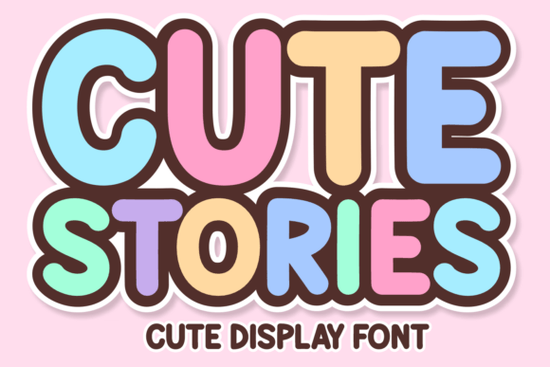
If you make designs for children’s products, YouTube thumbnails, or playful branding, you know a font can make or break the vibe. Cute Stories Font brings that exact mix of wobbly candy shop energy and clean readability without looking messy or hard to scan. It’s built as a display typeface, so it shines in large headlines, stickers, planner covers, and anything that needs a bold first impression. The letters feel like hand‑drawn bubble writing from a 70s magazine ad, with enough legibility to work in actual product templates. I’ve been testing it with Cricut projects and mock‑ups, and it holds up well even when scaled down for smaller tags.
What really sold me was how the font balances maximalist grooviness with modern Bohemian touches. The shapes are plump and inviting, with subtle wave‑like curves and tails that remind you of retro signage but never tip into illegibility. There’s a deliberate swashy charm in the lowercase and a bouncy, almost psychedelic rhythm across the uppercase. If you already enjoy funky, hand‑crafted lettering, this one slots in beautifully next to other bold kids fonts and playful display families.
What makes the Cute Stories Font different from other retro bubble fonts?
Many bubble fonts lean too far into cartoon territory, losing that vintage edge. Cute Stories keeps the roundness but adds a wavy, slightly irregular outline that mimics the look of hand‑inked posters from the 1970s. The result feels nostalgic yet crisp on screen and in print. It works as a maximalist headline font the kind you’d use for summer market stickers, festival branding, or a t‑shirt graphic that needs instant personality.
The font’s character set includes multilingual glyphs, which is a huge bonus if you sell digital products globally. Spanish, German, French, and Scandinavian characters are present, so you won’t hit a wall when designing for international customers. The swash alternates and stylistic extras give even more control for logos and decorative text, without requiring a separate “extras” font.
Which file formats come with the download?
This is where Cute Stories Font becomes extra useful for crafters and print‑on‑demand sellers. You get not only a standard installable font file (OTF/TTF) but also:
- SVG ideal for cutting machines like Cricut and Silhouette. The letters import individually, so you can rearrange, weld, or resize without losing quality.
- PNG high‑resolution raster versions with transparent backgrounds. Great for Canva designs, quick mock‑ups, or layering in Photoshop.
- Procreate‑ready files if you work on an iPad, you can drop the letters straight into your canvas and colour them digitally, no complicated import steps.
Having both vector and raster options means you can use the font in software like Adobe Illustrator, Affinity Designer, or even simple online editors without hassle. For small businesses that sell physical stickers or print invitations, the SVG format alone can cut production time in half.
What projects suit the Cute Stories Font best?
Think of anything that needs a cheerful, retro‑inspired focal point. Designers are using it for:
- Children’s book covers and interior chapter titles the bouncy shapes feel friendly but stay readable for early readers.
- Digital planner stickers the bold outlines pop on both light and dark planner themes.
- YouTube thumbnails and social media banners the thick weight holds up when compressed, and the groovy style grabs attention in a crowded feed.
- Summer event branding think pool party menus, lemonade stand signage, or festival merchandise.
- T‑shirt graphics and tote bag prints the font’s solid letters work well with heat transfer vinyl and screen printing.
If you enjoy mixing typefaces, pair Cute Stories with a simple sans serif for body text or a delicate serif for contrast. The chunky retro lettering behaves like a statement piece, so it rarely needs extra decoration.
How does this font compare to a college or varsity style?
Some crafters ask whether a groovy bubble font can replace the more traditional collegiate look. While Cute Stories Font has that bold presence, it’s softer and rounder than a classic varsity typeface. If you need a crisp, block‑letter sporty feel, you might look at something like a vintage collegiate display font. That style uses sharp inline details and straight stems, perfect for team logos or academic merch. Cute Stories is the playful cousin you’d choose it when you want warmth, not competition energy.
Similarly, if your project calls for a rough textured edge or grunge treatment, you could explore a rugged strong display font. That dirty, hand‑drawn look is better for band posters or distressed apparel, while Cute Stories keeps a cleaner, sweeter finish even with its retro vibe.
What about monogram or industrial style fonts?
Sometimes a client needs a more refined monogram approach for wedding signage or upscale branding. In that case, a delicate flourished typeface might be a better fit for instance, a fishtail monogram font with elegant swashes. Cute Stories isn’t trying to be elegant; it’s meant to be fun, bouncy, and full of candy‑colored personality. For heavy metal or hardcore merchandise, the contrast is even bigger. You’d lean toward something like a bold steel font with sharp bevels and industrial weight. Knowing where each font lands on the spectrum helps you match the tone without second‑guessing.
Can you use the Cute Stories Font for commercial work?
Yes, the licensing from Creative Fabrica typically allows commercial use for both digital and physical products, including print‑on‑demand sales. It’s always smart to double‑check the specific license that comes with your download, but most crafters use it on Etsy products, subscription boxes, and client work without issues. The multi‑format pack also means you’re not locked into a single usage scenario you can install the OTF on your desktop for logo design, while keeping SVG and PNG versions ready for craft projects.
How to get the most out of the font in Procreate and Cricut
If you’re working in Procreate, import the provided files and keep the letters on separate layers while you arrange them. You can add shadows, inner highlights, or even a chalky texture to push the 70s retro feel further. For Cricut users, setting the SVG letters to “draw” or “cut” with a slight offset gives you a sticker outline that prevents the design from feeling too sharp. Test on different coloured vinyl a canary yellow or hot pink really brings out the bubbly character.
One practical tip: when scaling the font for small prints, add a tiny bit of extra letter spacing. The default tracking can feel tight at very small sizes; a little breathing room keeps the loops clear without losing the playful flow.
- Check if your project needs a crisp silhouette (SVG works best).
- Pair with thin contrast fonts to let the bubbles pop.
- Use the multilingual glyphs to add international flair to your shop designs.
- Experiment with duotone colour fills for a modern retro poster effect.
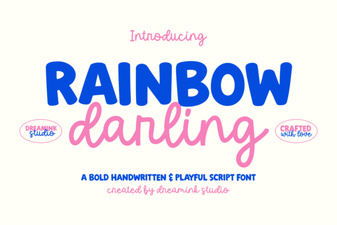 Rainbow Darling Duo Font: Design Inspiration & Uses
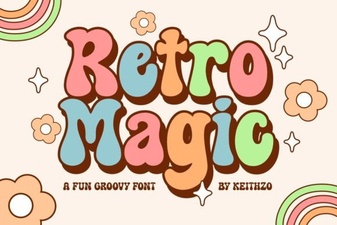 Retro Magic Font: Playful Vintage Typeface for Design Projects
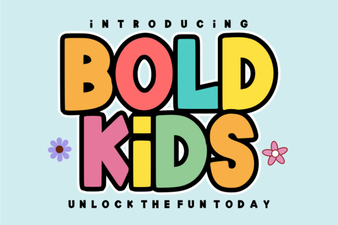 Playful Bold Kids Font for Creative Projects and Design
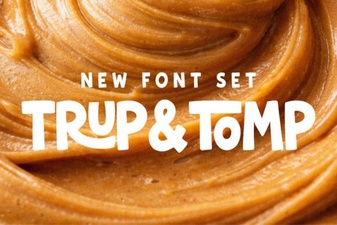 Trup & Tomp Font: Fresh Typography Project Ideas
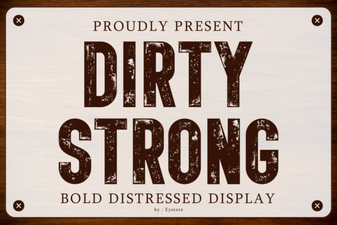 Dirty Strong Font: Gritty Typography for Bold Designs
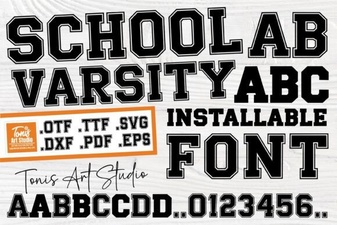 School Varsity Font: Creative Design Ideas and Inspiration