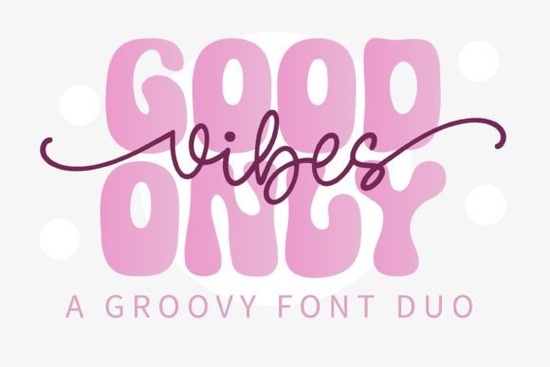
When you need a typeface that instantly brings a groovy, 70s-inspired feel to your work, the Good Vibes Only Duo Font is a go‑to choice. This pack gives you a bold display face and a flowing monoline script that work together to create that unmistakable hippie look without forcing you to hunt for matching fonts. Both styles are clean, highly readable, and built to make retro lettering projects feel polished and effortless.
What makes this duo font work so well for retro designs?
Two things set the Good Vibes Only Duo Font apart. First, the display style is chunky and rounded, with slightly uneven baseline placement that mimics classic hand-painted signage. Second, the monoline script partner uses a smooth, single-weight stroke that flows like natural handwriting but keeps enough structure to stay legible at smaller sizes. When you layer them, you get that unmistakable throwback contrast think album covers, festival posters, or vintage apparel tags. Because both styles share the same x‑height and spacing, they feel cohesive even when you mix weights and colors on the same line.
Designers who regularly create for print‑on‑demand will appreciate that the characters maintain their clarity on mugs, totes, and hoodies. The slightly thick outlines in the display style prevent ink from bleeding into the negative space, so your prints stay sharp. For digital work, the script’s smooth curves render well on screens, making it a reliable pick for social media quotes and retro‑themed website headers.
How do you combine the display and monoline script in one layout?
Pairing these two styles comes down to a simple hierarchy. Use the display weight for the main headline or hero word “Good Vibes,” for instance and let the script carry the supporting phrase, like “only” or a short tagline. Because the monoline script has a friendly, handwritten character, it softens the chunkiness of the display font and keeps the design from feeling too heavy. A popular trick is to arc the script above or below the blocky headline, adding a few hand‑drawn swirls or asterisks for extra flair.
If you want to add even more personality, play with color. Try a warm mustard or burnt orange for the display and a slightly lighter tint for the script. The duo holds up well to textured effects too, such as halftone overlays or light grunge, which push the retro vibe even further.
Which projects get the most out of a retro duo font?
This pack shines in work where a carefree, nostalgic mood is the whole point. Here are a few real‑world uses that designers and crafters lean into:
- Apparel and merchandise: T‑shirts, sweatshirts, tote bags, and bucket hats with positive “good vibes” slogans.
- Print‑on‑demand products: Mugs, phone cases, notebooks, and stickers that sell well in bohemian or festival‑themed shops.
- Branding for small businesses: Café chalkboards, organic skincare labels, yoga studio logos, or music event flyers.
- Scrapbooking and card‑making: Die‑cut titles, greeting cards, and party decorations that need a touch of handmade warmth.
- Social media graphics: Instagram quote posts, Pinterest pins, and YouTube thumbnails with a sunny, laid‑back aesthetic.
If your project needs a vibe that’s cheerful without being childish, the monoline script keeps things tidy while the display adds that bold retro punch. For a completely different young audience direction, a playful kids’ display font might serve better, but when the goal is vintage hippie charm, this duo is much more authentic.
What file formats and software compatibility do you get?
Like most Creative Fabrica font bundles, the Good Vibes Only duo includes standard .otf (OpenType) and .ttf (TrueType) files. Both work reliably in:
- Desktop programs such as Adobe Illustrator, Photoshop, InDesign, Affinity Designer, and CorelDRAW.
- Cricut Design Space and Silhouette Studio for craft cutting machines the clean outlines trace effortlessly.
- Canva, when you upload and use the font in your brand kit (available on Canva Pro).
- Microsoft Word, Pages, and basic text editors for simple print layouts.
Because the pack comes as a standard installable font rather than a color bitmap set, you can apply any fill, stroke, or gradient your design software supports. No extra plugins are needed, and the licensing terms typically allow both personal and commercial use just double‑check the included license to be sure it covers physical end products if you sell merchandise.
Are there similar fonts worth checking out?
If you love this retro aesthetic but want a few alternatives in your toolbox, a couple of other display fonts bring comparable energy. For a collegiate athletic twist, a varsity‑style display font gives you that letterman jacket look blocky, slightly italic, and instantly recognizable for sports‑themed designs. If you’re aiming for a softer, more aged appearance with ornate details, a creative vintage font can add old‑world charm without sacrificing readability. And when you need a throwback feel that leans a little more magical or psychedelic, a retro magic display font delivers fluid, wavy letterforms that pair beautifully with dreamy color palettes.
Each of these brings a slightly different mood while staying in the same retro family, so you can pick the exact tone your project needs without stepping too far outside the nostalgic lane.
How do you make the final design feel balanced with a duo font?
Balancing a heavy display weight with a light script isn’t hard if you follow a few layout basics. Start by setting your display text first get the size, tracking, and placement locked in. Then bring the script alongside it at roughly 60–70% of the display size. Lower the script’s opacity slightly if it feels too dominant; a soft black or beige tone can let it sit behind or beside the headline without competing. Use generous spacing between the two styles so the eye can rest, and consider adding a small embellishment a tiny flower, a peace sign, or a simple underline to tie everything together.
If you’re designing for a product page thumbnail or a podcast cover, always zoom out to 25% and check if the hierarchy still reads. The duo’s real strength is that even at a distance, the display grabs attention and the script adds warmth without turning into visual noise.
A quick designer’s checklist before you download
Here’s a practical rundown to make sure the Good Vibes Only Duo Font fits your project’s workflow:
- Confirm the license covers your use case especially if you plan to sell printed products or use the font in logo designs.
- Test both styles at your typical production size (12 pt for small tags, 72 pt for apparel) to verify legibility on mockups.
- Choose a color palette that leans into warm, earthy tones or soft pastels this font truly shines when you avoid harsh, neon contrasts.
- Pair the duo with a clean sans‑serif for any additional body text; avoid adding a third decorative font that might clash with the retro mood.
- Save a quick style reference card (headline, script, hex codes) so you can reuse the combination across multiple products without second‑guessing the look.
Once you load this duo into your font manager, take a few minutes to play with ligatures and alternate glyphs if included. Even simple swaps can make the lettering feel custom and a little more groovy exactly what a good vibes project deserves.
Get Started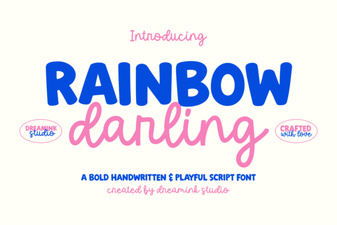 Rainbow Darling Duo Font: Design Inspiration & Uses
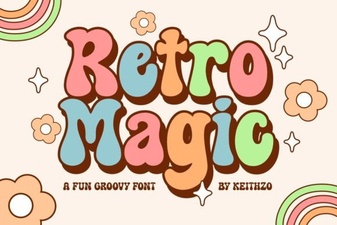 Retro Magic Font: Playful Vintage Typeface for Design Projects
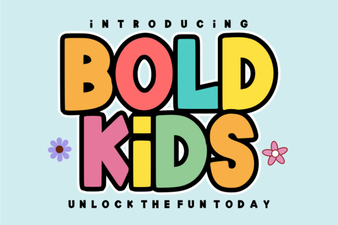 Playful Bold Kids Font for Creative Projects and Design
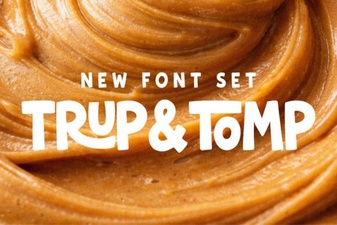 Trup & Tomp Font: Fresh Typography Project Ideas
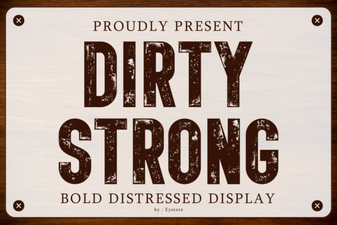 Dirty Strong Font: Gritty Typography for Bold Designs
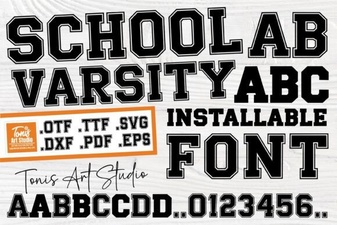 School Varsity Font: Creative Design Ideas and Inspiration