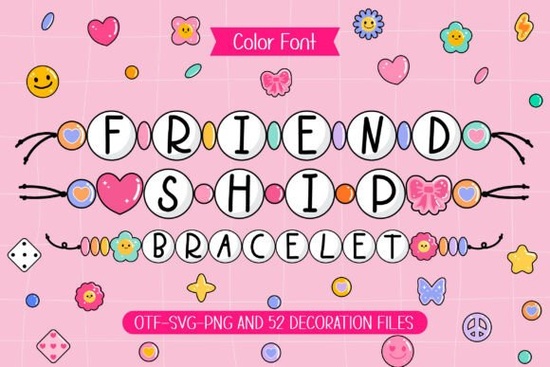
If you’re making gift tags, t‑shirt graphics, or scrapbook pages for a close friend, the right font can turn a simple word into a shared memory. Friendship Bracelet is a playful, bead‑inspired typeface that looks exactly like the colorful handmade bracelets you’d knot together at summer camp. It captures that same feeling of connection and warmth, then wraps it into an easy‑to‑use OTF file with matching doodle cliparts.
What does the Friendship Bracelet font actually look like?
Each character is built from tiny digital “beads” little circles lined up to form letters, numbers, and punctuation. The beads use bright, cheerful colors that pop against dark or light backgrounds. Some letters include small star accents, pastel shading, or alternating bead rows that mimic a real threaded bracelet. Because the design is so literal, it reads as a craft element rather than a regular text font. It’s not sleek or minimal; it’s purposefully cute and nostalgic.
The matching clipart set adds handmade touches like heart‑shaped beads, smiley charms, and threaded string ends. You can layer them next to your text or use them as standalone decorations. When you want a consistent look across a card or a set of party prints, these extras save you from hunting down separate graphics.
Who finds this font most useful?
The font is built for anyone who makes physical or digital keepsakes with a personal, handcrafted vibe. Small businesses selling friendship‑themed gifts, print‑on‑demand shops creating custom hoodies, and scrapbookers building memory albums get immediate use out of it. Teachers preparing classroom labels, party planners designing favor tags, and even kids’ brands looking for a warm, toy‑like headline will find it fits their project without feeling forced.
Because it’s an OTF file, you can install it on both Windows and Mac and use it in any program that supports standard fonts Cricut Design Space, Silhouette Studio, Photoshop, Canva, or Procreate. The clipart comes as PNGs with transparent backgrounds, so dropping them into a design is straightforward.
What kinds of projects suit a bead‑style typeface?
This font shines on surfaces where texture matters. Think of it less as a reading font and more as a decorative element. A few common uses include:
- Craft t‑shirts and tote bags: A single bold word in bead letters, printed on a canvas tote, instantly says “handmade with love.”
- Scrapbook titles and journal cards: Use the font for page headers, then scatter a few clipart charms around the photo corners.
- Greeting cards for important days: Mother’s Day, Galentine’s, or a best‑friend birthday card feel extra thoughtful with a bead‑letter name.
- DIY party decor: Create cupcake toppers, banner letters, or favor bag stickers that look like little threaded bracelets.
- Stickers and digital downloads: Sell or share “bestie” sticker sheets where each name is spelled out in bead letters.
Since the letter shapes are chunky and wide, short phrases and single words work better than long sentences. A five‑word name or a quick “Best Day Ever” reads clearly, while a full paragraph would lose legibility.
How do you install and work with the files?
After downloading, you’ll get a zip with the OTF font and a folder of transparent PNG cliparts. Double‑click the OTF file on your computer and choose “Install” it appears in your font menu right away. The cliparts are already high‑resolution, so you can drag them onto a 12x12 canvas and resize without fuzziness.
In design software, Friendship Bracelet works best at larger point sizes (above 36 pt). At smaller sizes, the bead details blur together and the playful effect gets lost. If you’re using a cutting machine, weld the text first so the machine cuts around the entire word as a single piece, not individual beads.
Can it pair with other colorful fonts?
Yes, and mixing font styles often makes a layout more dynamic. For a crafty, child‑friendly set, you might pair the bead font with a soft handwritten marker style or something with a melted crayon texture. If you’re already browsing the colorful craft fonts collection, you’ll notice many share the same energetic, DIY personality. Sometimes a project needs a bolder companion a font that looks like thick wax strokes. In that case, exploring a groovy crayon style can add variety without clashing. The key is to let each font serve a specific job: one for the main headline, another for a small accent or a subheading.
Is it appropriate for commercial projects?
Creative Fabrica fonts usually come with a standard commercial license, which means you can use the font and clipart on physical products you sell t‑shirts, mugs, stickers, printed art up to a certain number of copies. Always double‑check the exact license terms on the product page, as limits can vary. If you plan to sell digital files that include the font itself (like embroidery fonts or digitized designs), make sure the license allows it or grab an extended POD license.
Why a bead font works well for connection‑themed designs
Bead bracelets have been a symbol of friendship for decades. They feel tactile, warm, and deeply personal. When you type a name in bead letters, you’re borrowing that emotional weight. Customers and gift recipients recognize the reference immediately they don’t need an explanation. That instant recognition makes the font especially useful for brands that sell sentimental gifts, kindness‑focused stationery, or keepsake jewelry holder cards.
It also photographs well. Printed in vibrant shades on a crisp white card, the bead effect looks three‑dimensional without needing any special paper or printing technique. That’s a big plus for product listings where photos need to show texture clearly.
Quick checklist before you start a project
When you open the font and cliparts, a little planning goes a long way. Run through this short list to avoid common hiccups:
- Test spacing at your intended size. The bead connections can look too tight or too loose depending on the software; adjust letter spacing manually if needed.
- Choose high‑contrast colors. The bead outlines show best when the fill color contrasts with the background. Light pink on white can wash out.
- Stick to short text. Keep phrases under six words for maximum readability.
- Weld for cutting. If you’re sending it to a Cricut or Silhouette, remember to weld the letters so they cut as a connected word.
- Combine cliparts intentionally. Use the included hearts and string elements to frame the text, not clutter it. One or two accents per design is usually enough.
Pick up the Friendship Bracelet font, install it, and test a simple gift tag today that first print might just become your new favorite way to say “you matter to me.”
Get Started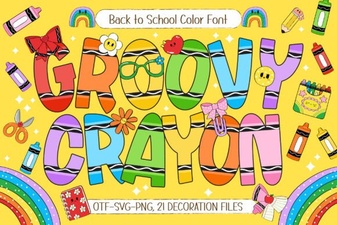 Groovy Crayon Font: Creative Typography Projects
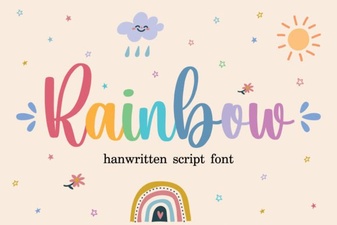 Rainbow Font Design Ideas for Colorful Projects
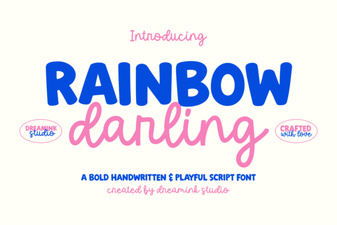 Rainbow Darling Duo Font: Design Inspiration & Uses
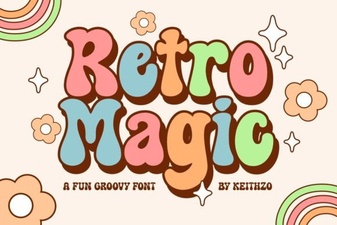 Retro Magic Font: Playful Vintage Typeface for Design Projects
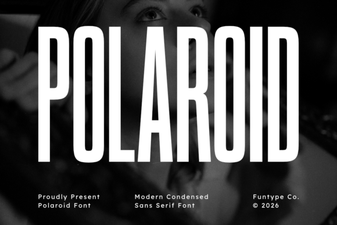 Polaroid Font: Timeless Retro Charm for Your Designs
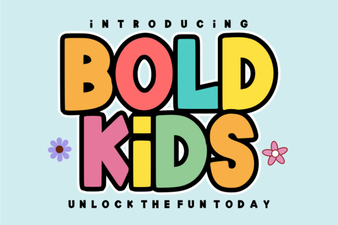 Playful Bold Kids Font for Creative Projects and Design