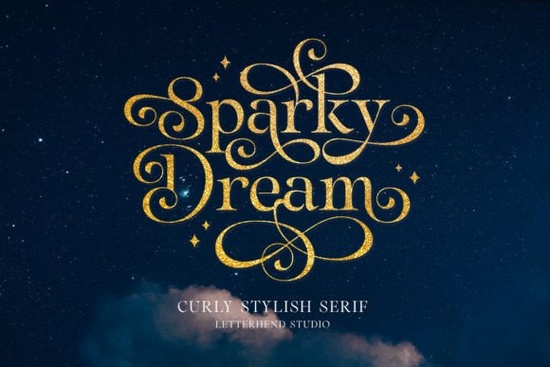
If you’ve been looking for a serif font that balances old-fashioned charm with just the right amount of flair, the Sparky Dream typeface deserves a spot on your shortlist. Sparky Dream Font combines a sturdy, traditional letter skeleton with soft, curling swashes that add personality without shouting over your message. Designers, crafters, print‑on‑demand sellers, and small business owners often turn to this style when they need a polished, warm look for formal stationery, upscale branding, or gift packaging. Its gentle curls bring a handmade, timeless feel to even the simplest project.
Why do swash details feel so at home in a serif font?
Swash capitals and flowing terminal strokes have roots in centuries-old calligraphy and early type design. They give type a sense of motion and refinement that plain, upright serifs sometimes miss. Sparky Dream uses these swashes thoughtfully they highlight initial letters, draw attention to headlines, and soften the overall texture of a block of text. Because the swashes are part of the font’s alternates, you can switch them on or off as needed, which prevents a design from looking too busy. This flexibility makes the typeface practical for both display purposes and short, elegant text passages like menu items or poem excerpts.
What kind of work benefits most from a typeface like Sparky Dream?
Any project that relies on a refined first impression can benefit. Here are a few common uses:
- Wedding stationery and event invitations – the swashes make names and dates feel celebratory.
- High‑end restaurant menus and wine labels – understated elegance that still feels current.
- Logo design for boutiques, florists, and beauty brands – a single swash capital can become a signature mark.
- Book covers and editorial layouts – especially for historical fiction or literary fiction.
- Artisanal packaging – think handmade soaps, candles, or specialty tea bags.
If you want to see exactly how the letters connect and which alternates are available, have a look at the full character map on the product page. It’s helpful to scan the swash variants before you start sketching, so you know exactly what you can achieve with a single type family.
How does Sparky Dream compare to other decorative serifs?
Not every swash serif takes the same approach. Sparky Dream leans into soft, almost calligraphic curls that feel airy and romantic. If your project needs something a little more upright and dignified, you might also look at Monarch Heritage. That typeface replaces flowing swashes with a clean, regal structure and works well for projects that require a sense of heritage without extra ornament. Both fonts are part of the same category, but they solve different visual problems. Many designers keep at least two serif choices like these in their toolbox one playful, one stately so they can match the exact tone of each brief.
Is this font practical for print‑on‑demand designs?
Yes, and print‑on‑demand sellers often look for three things in a serif: readability, a distinctive personality, and compatibility with popular design tools. Sparky Dream checks all three boxes. At larger sizes, the swashes remain crisp on t‑shirts, tote bags, and mugs. The font also holds up well at subtle sizes on product tags or jewelry cards, though it’s wise to test the thinnest swash strokes on the material you’re printing. The OpenType (.otf) file type ensures that alternates are accessible in software like Adobe Illustrator, Photoshop, and Affinity Designer. Some cutting machines and web‑based tools can also access the swashes if you use the glyphs panel or character map.
What should I know about installing and using the swash alternates?
Installing Sparky Dream follows the same steps as any standard font:
- Download the font file (typically .otf or .ttf).
- Open the file your operating system will prompt you to install it.
- Restart your design application so the font appears in the dropdown menu.
To reach the swashes, open the Glyphs panel (in Illustrator) or the Character Map on Windows / Font Book on Mac. Scroll through the character set and you’ll spot several swash variants for letters like A, M, N, and the ampersand. Simply double‑click the one you want, or copy and paste it directly into your text layer. Some apps, including newer versions of Canva, now support OpenType alternates through a styling panel, which makes the process even simpler.
If you want some reference for traditional serif legibility, classic families such as Baskerville show how clean serifs still lead a reader’s eye smoothly though without the expressive swashes you get with Sparky Dream.
What typefaces pair well with Sparky Dream?
Pairing a decorative serif like Sparky Dream with a neutral counterpart keeps a layout balanced. A clean sans‑serif (think Open Sans, Lato, or Work Sans) works well for body text, while the swashed serif handles headings, names, and dates. A light hand‑drawn script can also complement the romantic feel for wedding suites or greeting cards, but you’ll want to use restraint two highly decorative fonts can compete. Test a few combinations on a simple thank‑you card and print a small sample to see how the weights interact under real‑world lighting.
Quick checklist before you use Sparky Dream in a client project
- Verify that the licence covers your intended use (commercial, print‑on‑demand, web embedding).
- Open the glyphs panel and test every swash alternate you plan to rely on.
- Pair the font with one clean sans‑serif for long text blocks.
- Check minimum recommended size swash hairlines can disappear on low‑resolution screens if set too tiny.
- Print a sample on the actual material (cotton, kraft paper, coated card) to confirm ink spread and clarity.
If you’re ready to experiment, try setting a short phrase like “You’re Invited” in Sparky Dream and toggle the swash for the first letter. That one small change can instantly make a plain layout feel intentional, warm, and studio‑ready.
Explore Design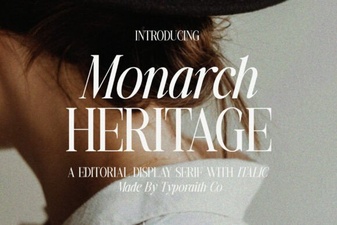 Monarch Heritage Font: Design Inspiration & Usage Tips
 Rainbow Font Design Ideas for Colorful Projects
 Rainbow Darling Duo Font: Design Inspiration & Uses
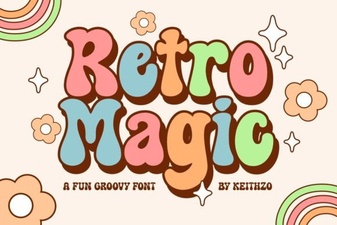 Retro Magic Font: Playful Vintage Typeface for Design Projects
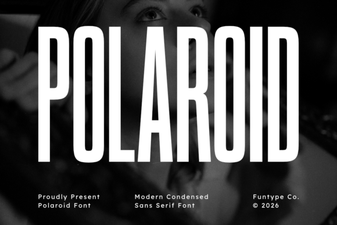 Polaroid Font: Timeless Retro Charm for Your Designs
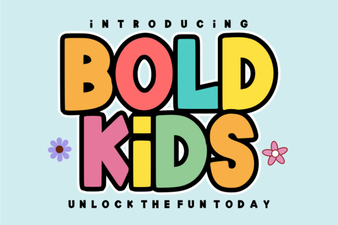 Playful Bold Kids Font for Creative Projects and Design